
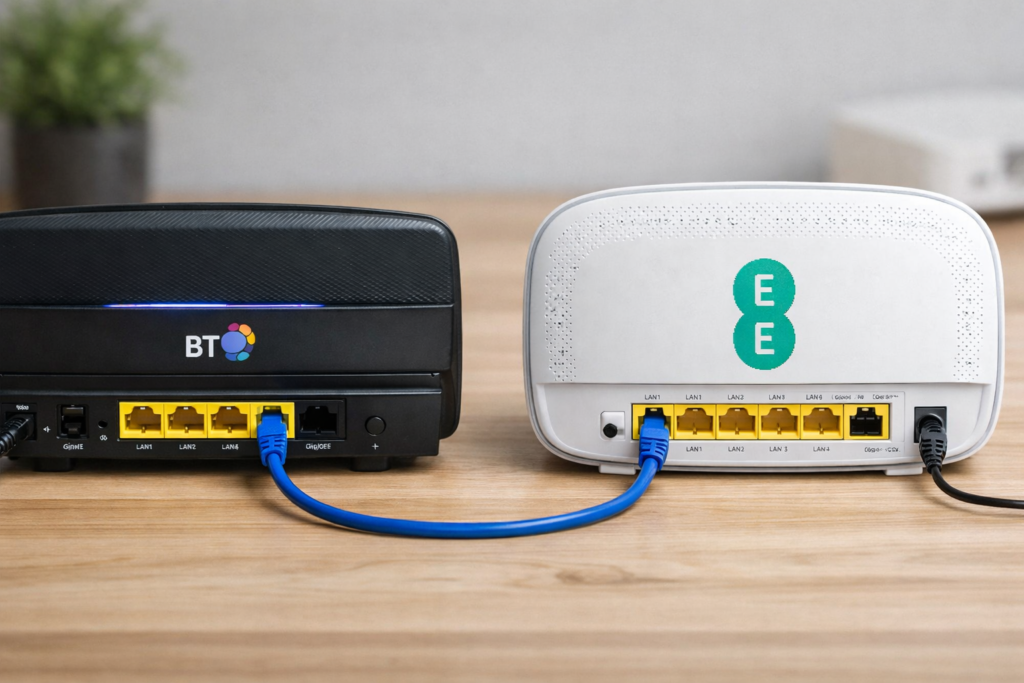
In this article, I’ll show exactly how I solved a freezing and overheating EE WiFi 6 router by turning it into a simple Access Point while using my old BT router for everything else.
A while ago I moved to EE Full Fibre on Openreach and got their new WiFi 6 all-in-one router. It kept freezing under normal use and sometimes got quite hot. I tested it in different ways and found the router part was the problem.
I first tried using a Cisco ISR k9 router to handle all the routing, switching, and DHCP, with the EE router just acting as an Access Point. That worked, but the Cisco was bulky, noisy, and pulled over 90W from the wall. My residential routers only use around 9W and are silent, so that wasn’t practical for home use.
During testing with the Cisco, I noticed that on Openreach the connection authenticates using standard BT credentials (bthomehub@btbroadband.com with password “BT”). That gave me an idea.
I still had my older BT all-in-one WiFi 4 router that had always been stable. So I decided to combine the two:
My Working Setup (Running perfectly for over a year now):
- Use the old BT router as the main router.
- It handles the PPPoE authentication to Openreach/EE, DHCP, routing, and firewall.
- On the BT router:
- Disable the WiFi (or leave it off completely).
- On the EE WiFi 6 router:
- Disable routing, DHCP, and firewall features.
- Put it into Access Point mode (or just turn off everything except the wireless radios).
- Connect them with an Ethernet cable:
- LAN port on the BT router → LAN port on the EE router (do not use the WAN port on the EE unit).
- Give the EE router a static IP address in the same subnet as the BT router, but outside the DHCP pool (for example, if BT uses 192.168.1.1 and DHCP from .100–.200, set EE to 192.168.1.50). I personally like to set the gateway (BT Router) to .1 and the AP (EE Router) to .254. And the DHCP Pool to .11-200, leaving a nice amount of reserved memorable addresses at both ends network and still keeping large amount addresses assignable by the DHCP server.
- Set the WiFi SSID and password on the EE router to whatever you want (same as BT for seamless roaming, or different for separate networks).
That’s it. The BT router does all the “thinking” and the EE router just broadcasts strong, fast WiFi 6.
Why it works so well:
- The EE router no longer has to handle routing or authentication, so it stops freezing and overheating.
- You get the best of both: reliable connection from the old BT + modern WiFi 6 speeds and coverage from the EE unit.
- Very low power use and completely silent.
My 10-year-old son actually suggested writing about this setup. I told him the basic problem and simple solution over a year ago, and he remembered it clearly when I was stuck for new article ideas.
This hybrid setup has been completely stable with zero issues for over a year. If you’re having similar problems with an EE (or other ISP) all-in-one router freezing or getting hot, try separating the routing duties from the WiFi.